Contacts & Templates
Managing contacts via API and creating message templates with per-channel bodies.
Contacts
Contacts represent the people you send messages to. Each contact can have a phone number, email address, and a custom reference ID.
Creating contacts
curl -X POST https://connect.ataca.io/v1/contacts \
  -H "Authorization: Bearer $API_KEY" \
  -H "Content-Type: application/json" \
  -d '{"number": "+1234567890", "email": "[email protected]", "reference": "cust-001"}'
| Field | Type | Description |
|---|---|---|
number |
string | Phone number for SMS/WhatsApp/Viber/Telegram |
email |
string | Email address for email channels |
reference |
string | Your own identifier (e.g., customer ID, order number) |
At least one of number or email is required.
Uniqueness constraints
Contacts are scoped to your organization. Within an org:
numbermust be unique — no two contacts can share the same phone numberreferencemust be unique — no two contacts can share the same reference
Attempting to create a duplicate returns HTTP 409 Conflict.
Listing and fetching
# List with pagination
curl -H "Authorization: Bearer $API_KEY" "https://connect.ataca.io/v1/contacts?page=1&page_size=20"

# Get by ID
curl -H "Authorization: Bearer $API_KEY" https://connect.ataca.io/v1/contacts/01jqk...
Templates
Templates define the content of your messages. Each template has a name, description, and one or more per-channel bodies.
Structure
A template consists of:
- Name — unique identifier used in the send API (e.g.,
welcome,order-confirmation) - Description — human-readable summary
- Category — optional grouping (e.g.,
marketing,transactional) - Language — template language code (e.g.,
en) - Bodies — one per delivery channel, each with its own content and placeholders
Per-channel bodies
Each channel body contains markdown content tailored to that channel:
| Channel | Content format | Notes |
|---|---|---|
| Plain text | Subject to template approval by Meta | |
| Viber | Plain text | — |
| SMS (Sinch/Plivo) | Plain text | Keep under 160 chars for single SMS |
| Email (SMTP) | Markdown → HTML | Rendered to both plain text and HTML |
| Telegram | Markdown | Telegram-flavored markdown |
Placeholders
Use {{name}} syntax in template bodies for dynamic content:
Hello {{first_name}}, your order {{order_id}} is ready for pickup.
Required placeholders — {{name}} with no default. The send API returns an error if the placeholder value is missing from data.
Optional placeholders — {{name:"default"}} with an inline default. Uses the default when no value is provided:
Your discount is {{discount:"10%"}} — use code {{code:"WELCOME"}}.
Aggregated placeholders
The GET /v1/templates endpoint aggregates placeholders across all channel bodies. A placeholder is marked required: true if it appears without a default in any channel body.
Creating templates
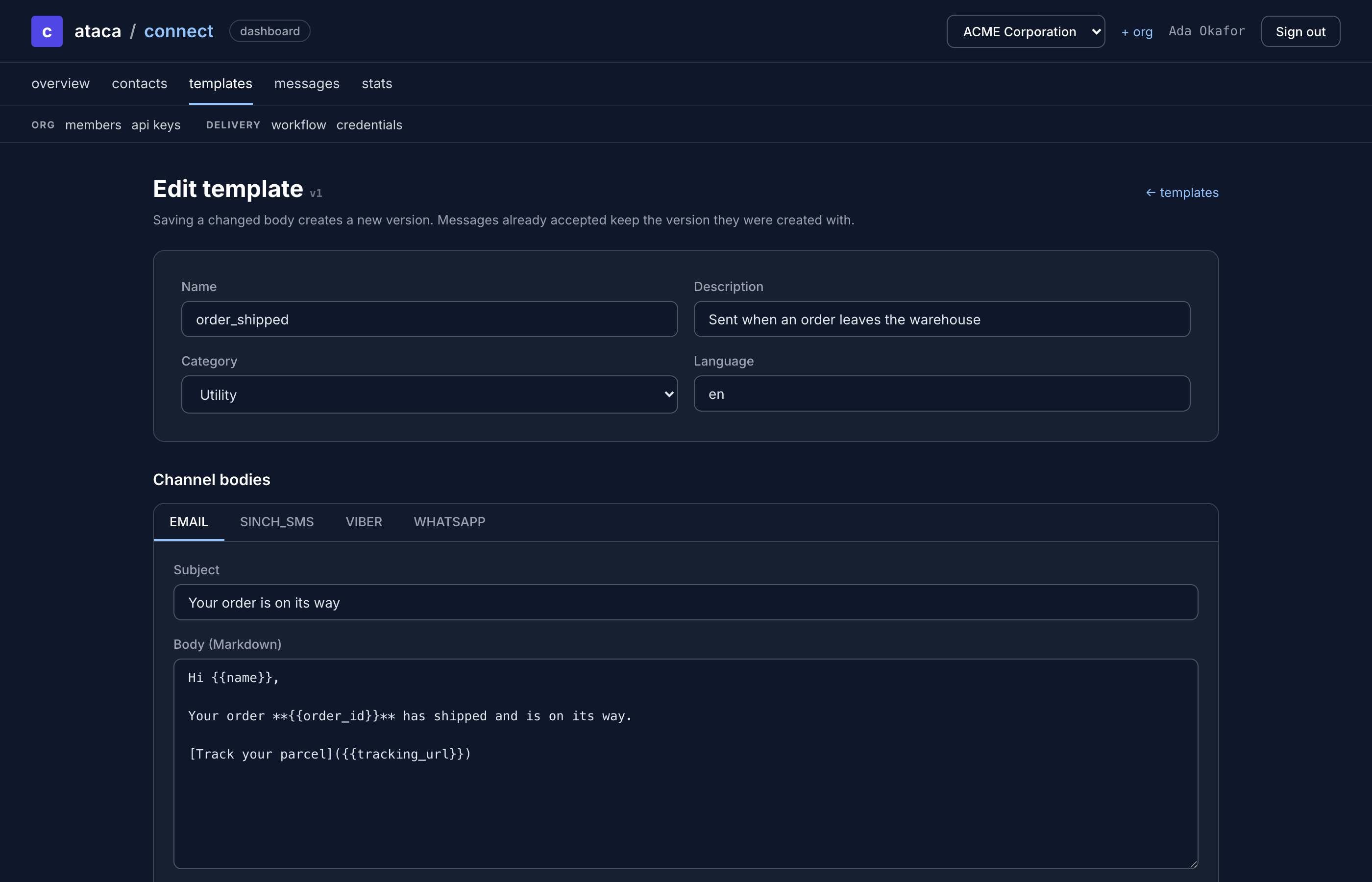
Templates are managed through the dashboard template editor. Navigate to Templates and click Create Template.
The editor lets you:
- Set name, description, category, and language
- Add bodies for each delivery channel
- Write content with
{{placeholder}}syntax - Preview rendered output
WhatsApp template approval
WhatsApp templates require approval from Meta before they can be used for delivery. After creating a template with a WhatsApp body, ATACA Connect submits it to the WhatsApp Cloud API for review. The approval status is tracked per-body:
| Status | Meaning |
|---|---|
pending |
Submitted, awaiting Meta review |
approved |
Approved and ready for delivery |
rejected |
Rejected — check the reason and resubmit |